How to Invite Another User to Koi
You can add more users and oversee which staff member has access to your Koi account.
On this page
Invite a User to Koi
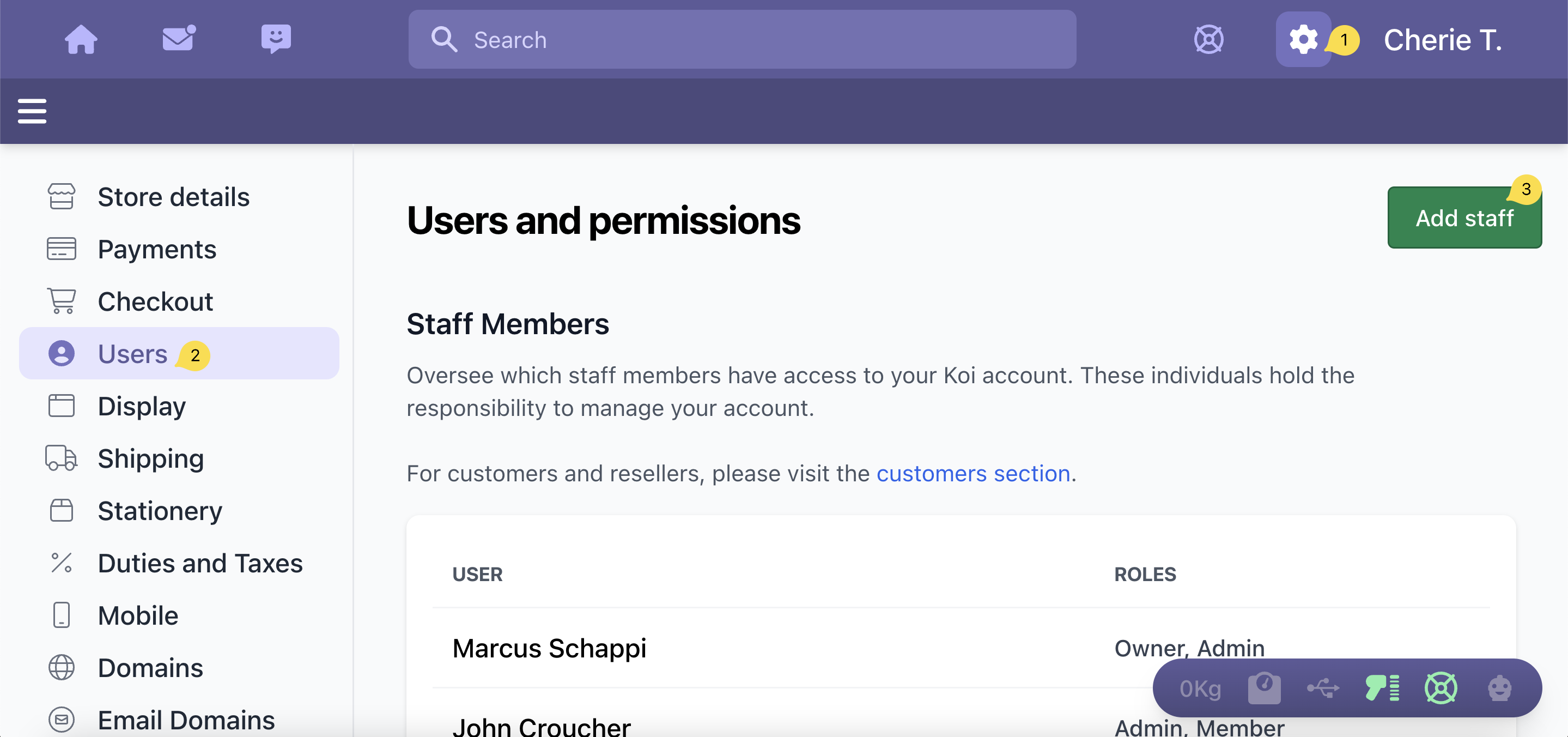
- Click on the Settings icon
- Click on Users
- Click on Add Staff button
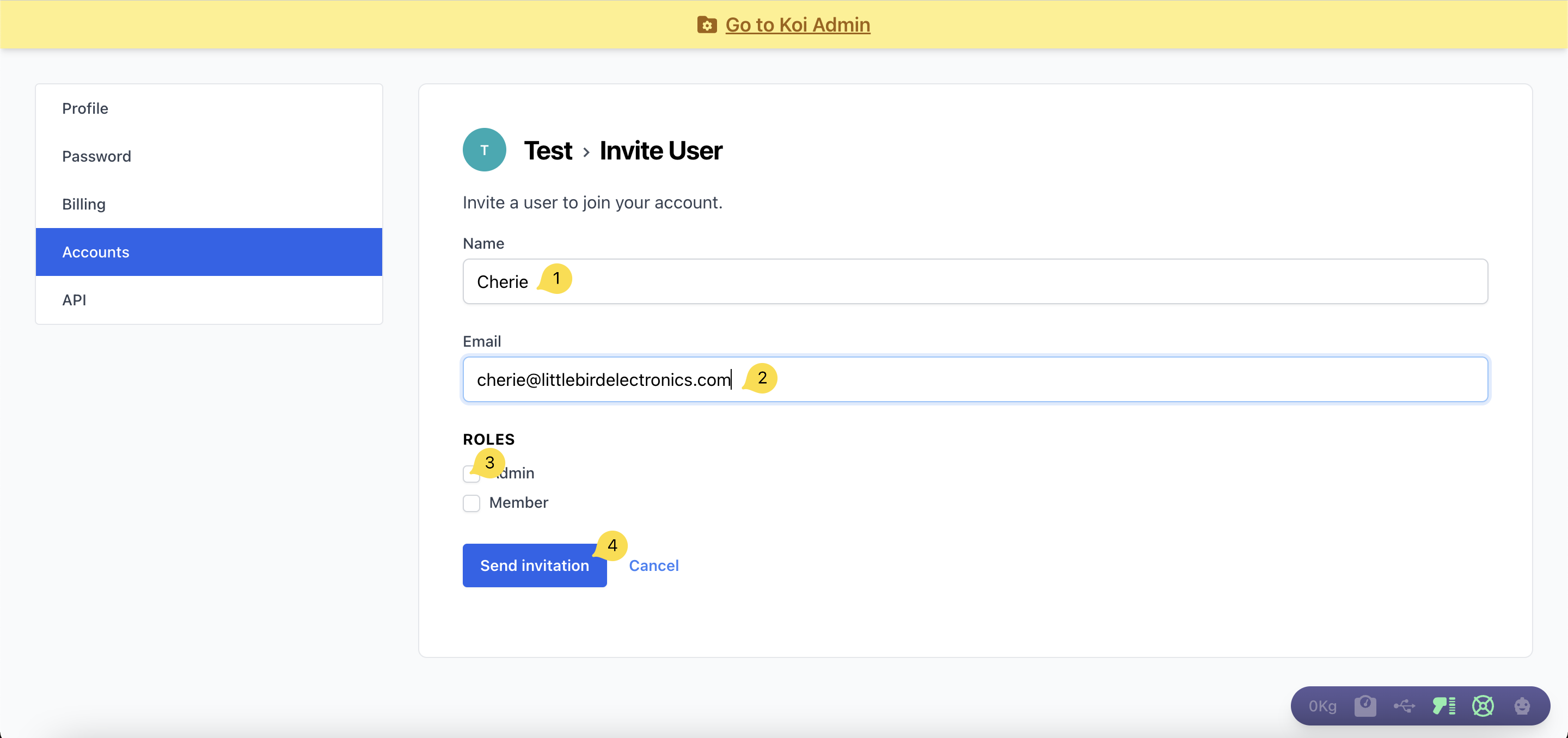
- Enter the full name of the user in the Name field
- Enter the email address of the user in the Email field
- Select either Admin, Member, or both to assign the role to the user
- Click on the Send Invitation button

- Click on Copy Link
- You can copy and paste this link to your user directly
- Click on Invite A User button to continue inviting more users to your Koi account
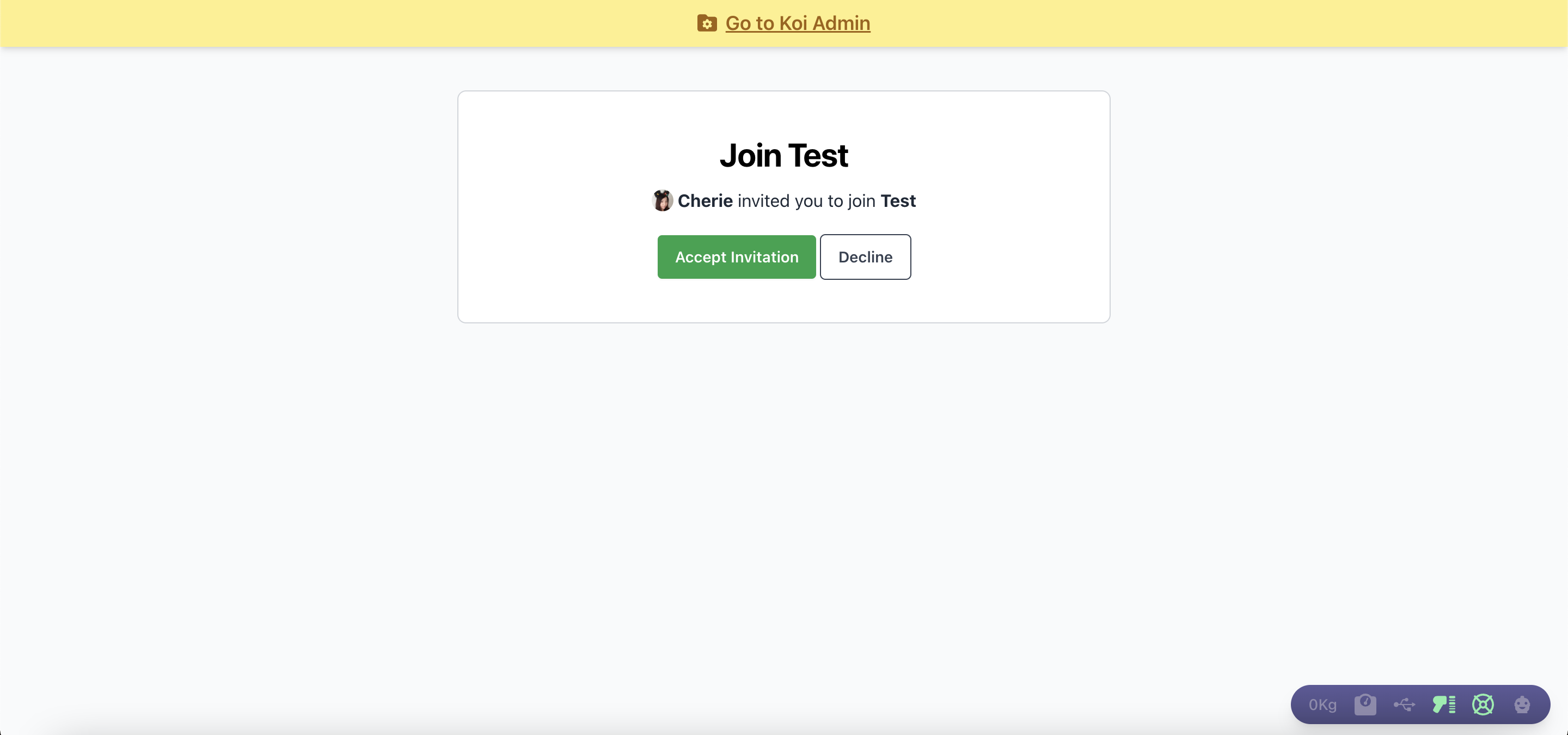
The user can accept the invitation by simply clicking on the Accept Invitation button.
Did this answer your question?
There was a problem submitting your feedback. Please try again later.
Still need help? Contact Us Contact Us